Overview
ReferralHero is a comprehensive referral marketing platform designed to serve a diverse user base, from early-stage startups to established enterprise brands. Because the system powers thousands of active campaigns across multiple industries—including SaaS, fintech, and e-commerce—the core structural challenge lies in balancing complex campaign logic with an intuitive, scalable interface.
The platform's architecture bridges two distinct user journeys. For end-subscribers, the flow focuses on frictionless link sharing and reward tracking. For campaign managers, the central dashboard serves as a high-density control center. It consolidates intricate configurations—such as reward milestones, fraud protection, and granular analytics—into a unified workspace. A critical design requirement of the platform is its no-code setup flow, enabling non-technical users to effortlessly configure and deploy embeddable widgets without developer friction.
Research
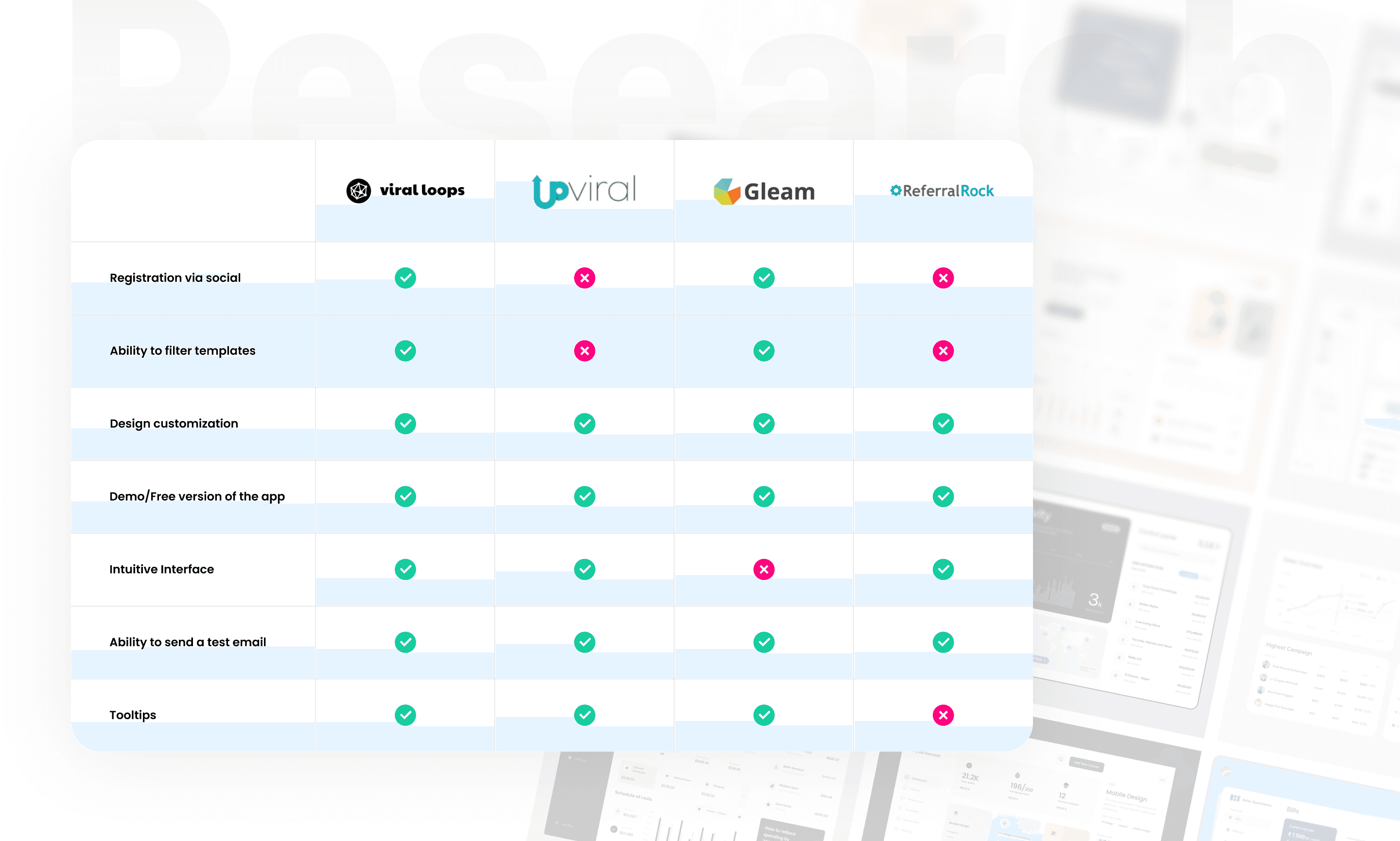
Before any screens were touched, four competing platforms were studied — Viral Loops, UpViral, Gleam.io, and Referral Rock. The goal was to understand what the market had already solved, and what it hadn't.
Competitive Analysis
Common strengths across platforms
Campaign design customization with branded styling
Template libraries for faster campaign setup
Campaign preview before publishing
Test mailing capability
Common weaknesses across platforms
Confusing navigation — users lose their position within the interface
Limited free tier features that don't meet real team needs
Unclear and low-contrast CTAs that reduce conversion
Outdated design — text-heavy layouts, missing block separation, poor visual hierarchy
Key insight
Most competitors have design issues around navigation clarity and CTA visibility. There's clear room to differentiate through a cleaner interface, better information hierarchy, and more intuitive campaign flows.

User Flow
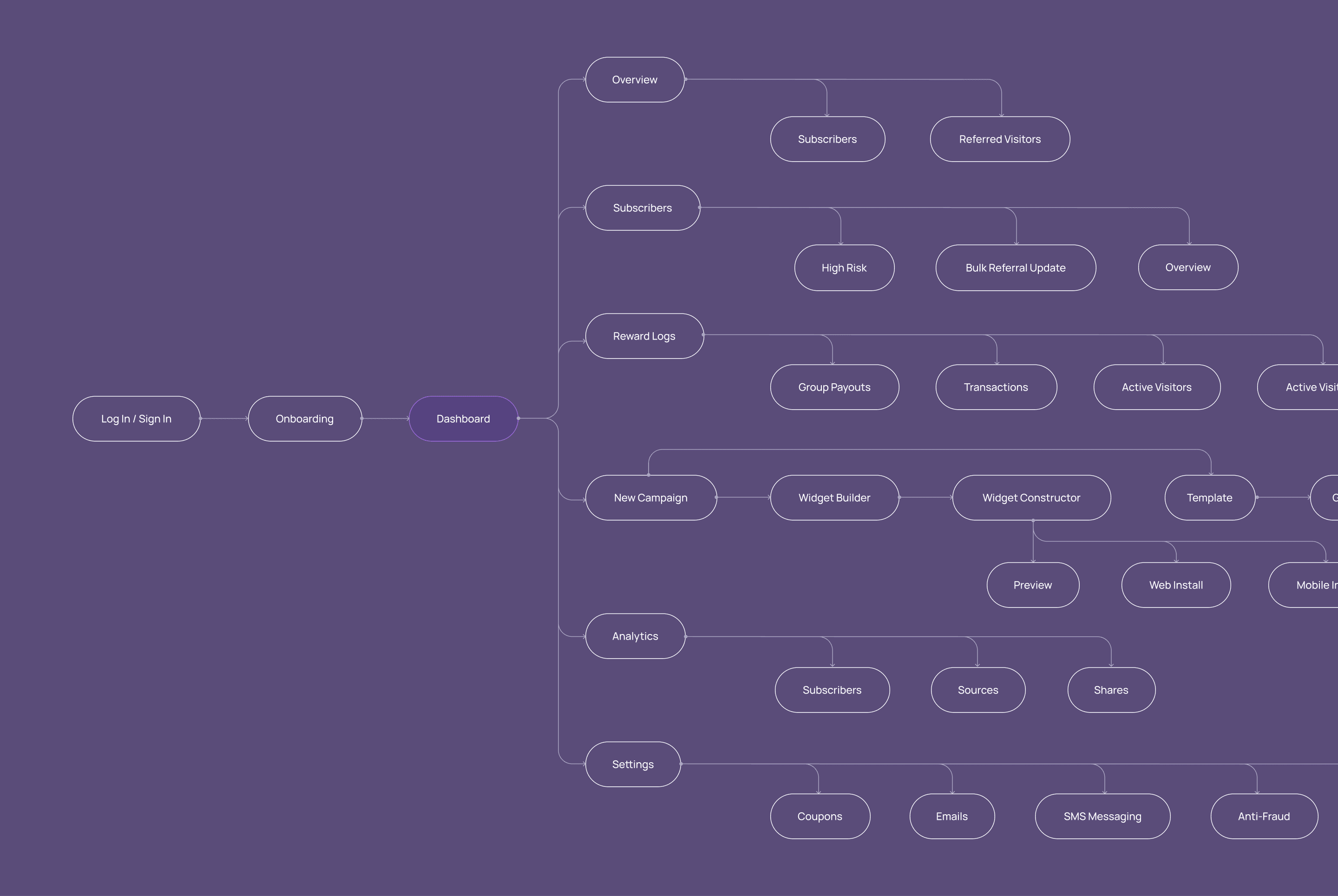
The full product flow was mapped before any screens were started. The platform is more layered than it looks at first — authentication, onboarding, campaign creation, subscriber management, analytics, settings, and the widget layer all have to connect. Getting that structure clear early meant a lot less rework down the line.
Wireframes
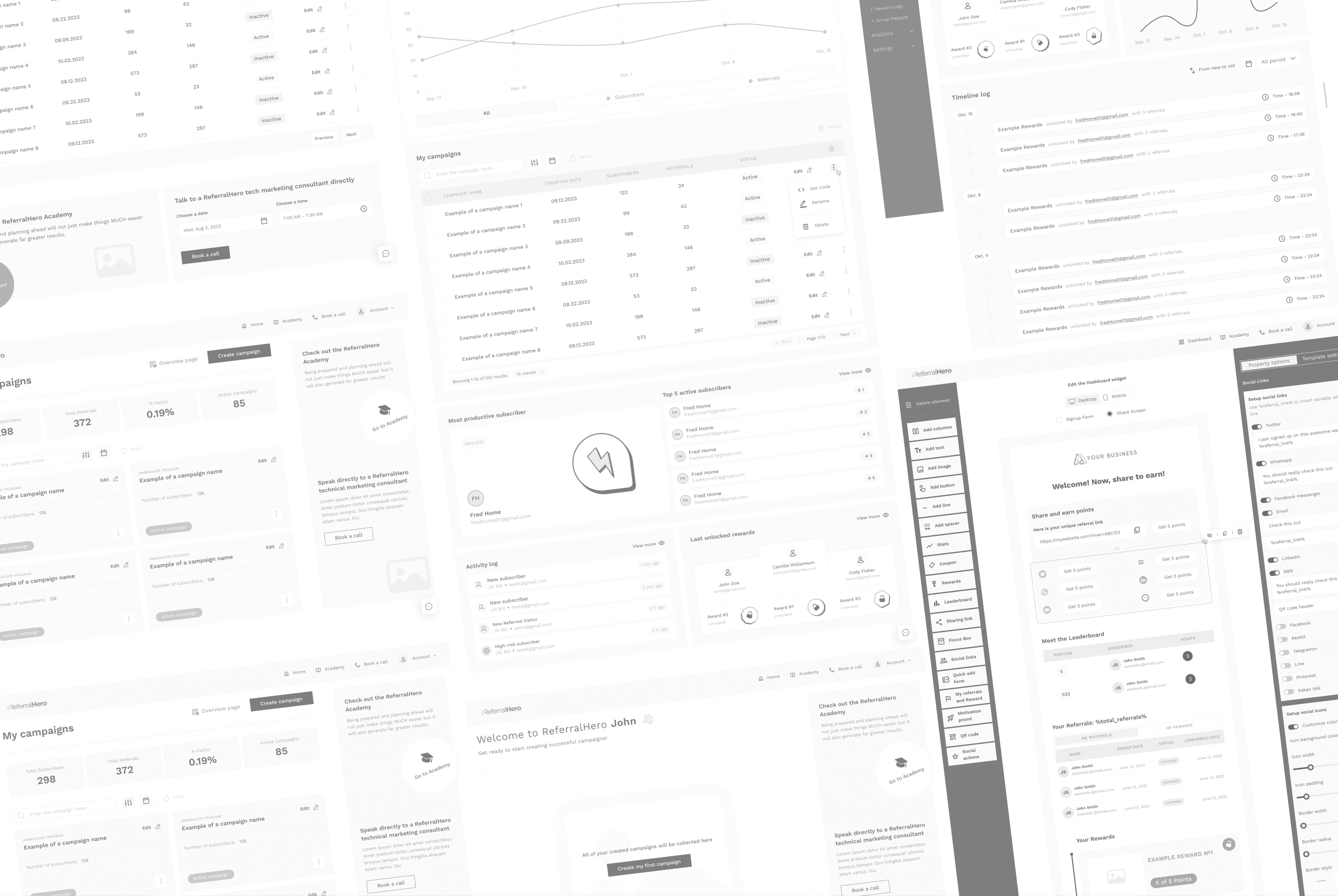
Wireframes settled layout logic and information hierarchy before any visual decisions came in. The campaign creation wizard has eight steps — getting the order and grouping right was the whole job here. It needed to feel like a natural progression, not a form you're filling out.
Design System
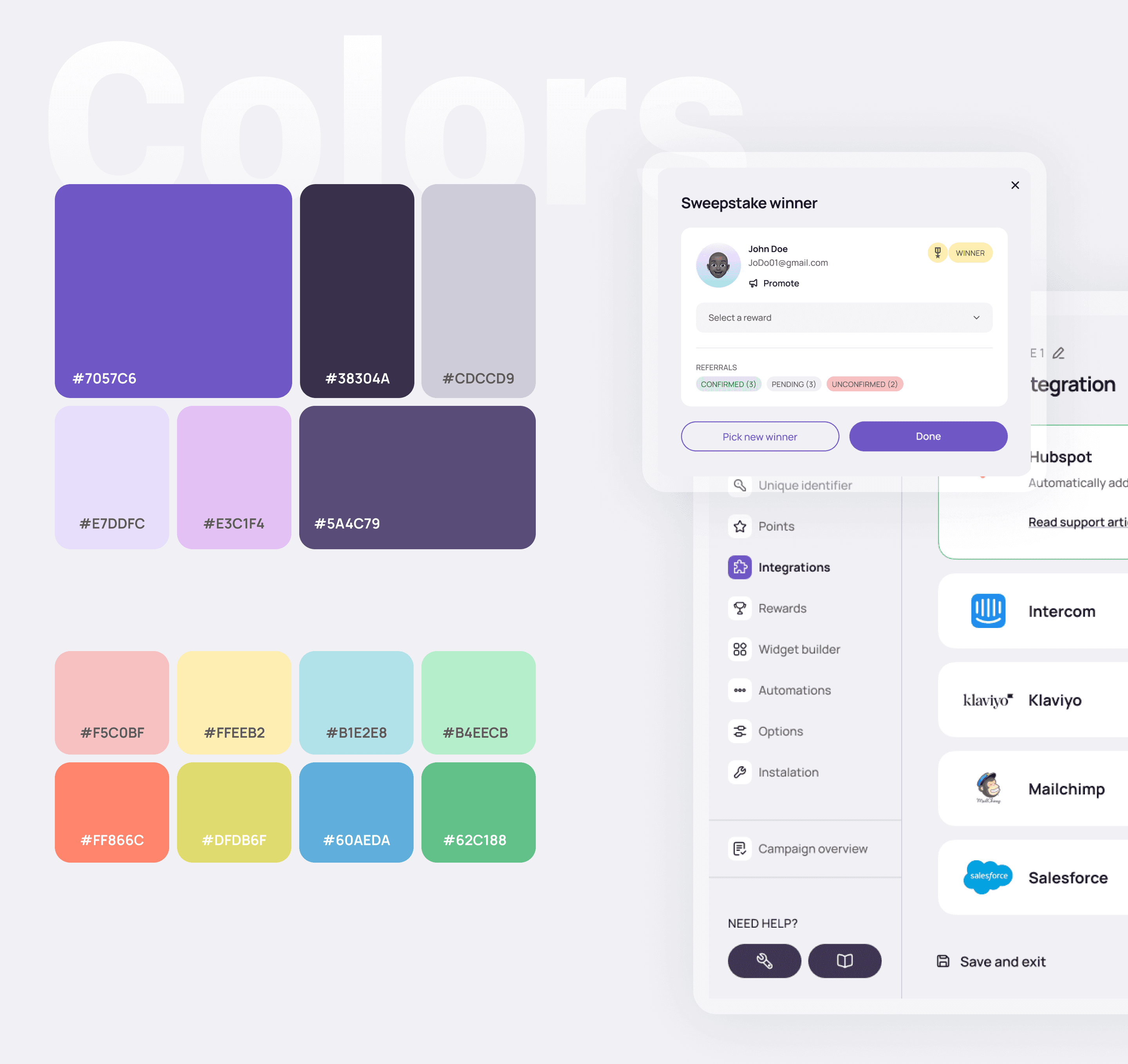
Purple as the primary. Expressive enough to give the product a clear identity, restrained enough to stay out of the way on dense screens. A secondary accent handles negative actions — stop campaign, destructive states — keeping the primary reserved for things that actually move users forward.
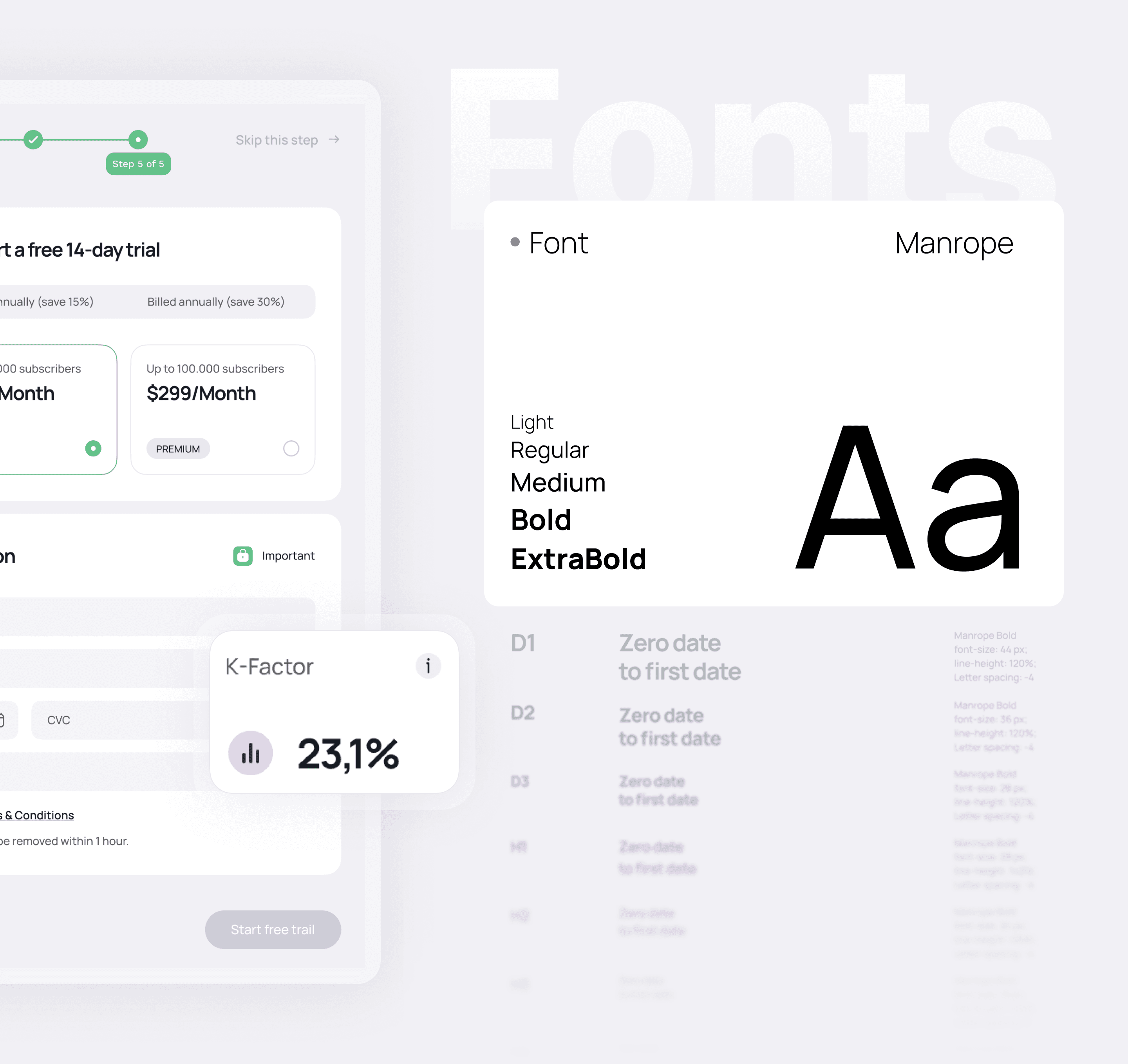
The type system had to hold up in two very different places: dense subscriber tables where you're scanning data, and short widget copy that end users read on someone else's website. One scale, built for both.
Platform
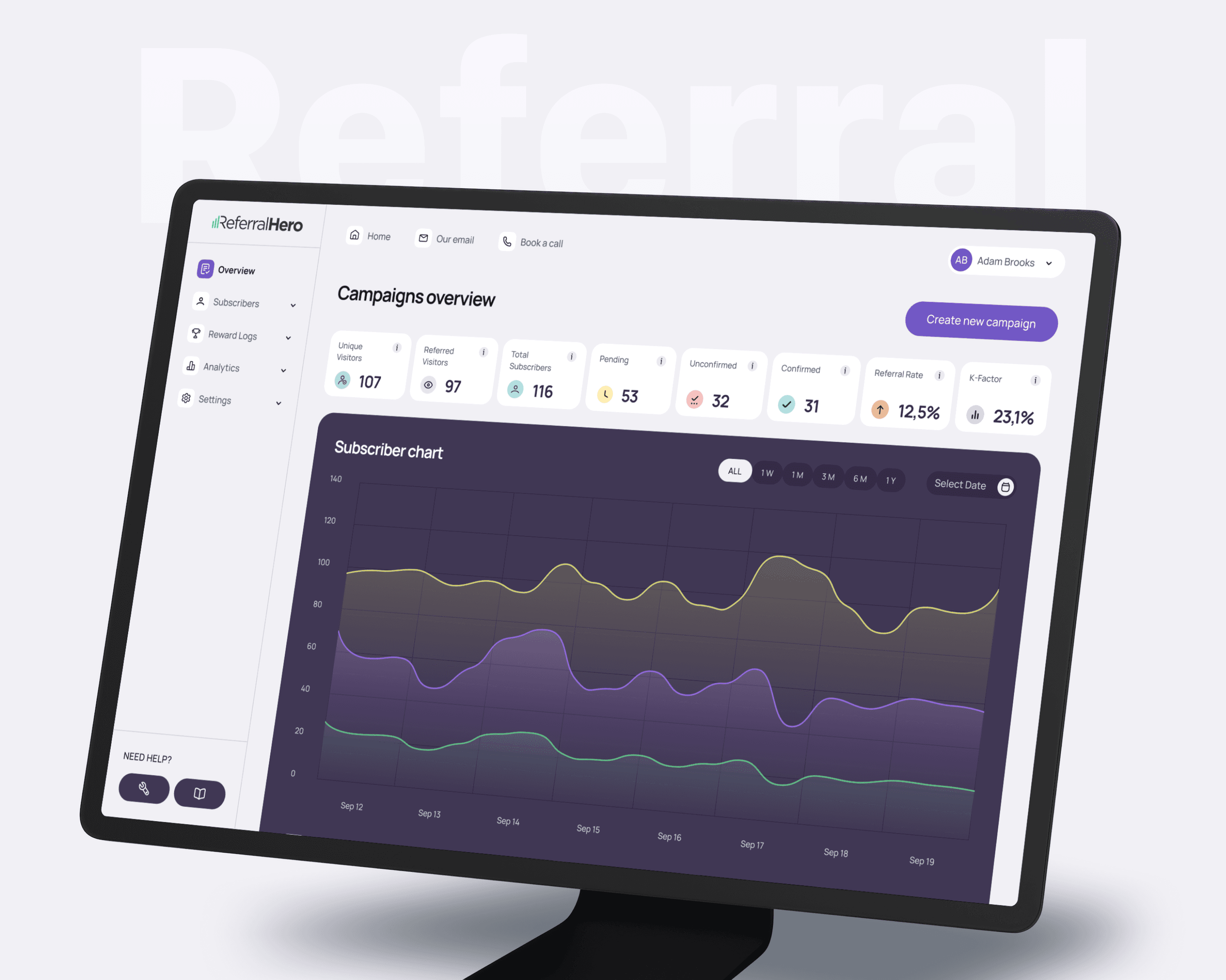
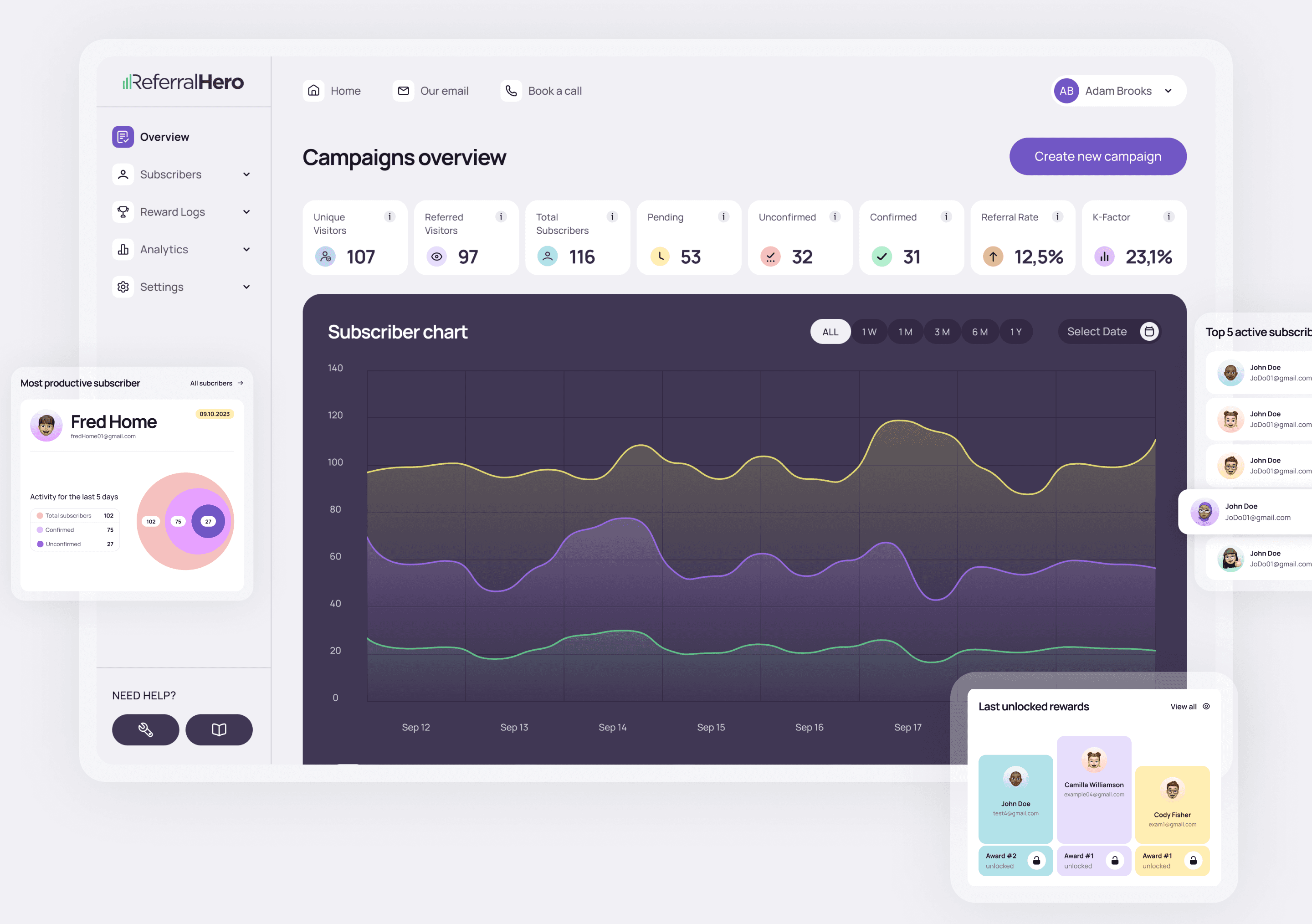
The dashboard is built around a single question: what does a campaign manager actually need to see when they open the app? Eight metric cards sit across the top — unique visitors, referred visitors, total subscribers, pending, unconfirmed, confirmed, referral rate, and K-factor. Not a summary, not a highlight — the full pulse of the campaign at a glance.
Below that, the subscriber chart takes up most of the screen. Three lines tracked over time: total, confirmed, unconfirmed. Time filters across the top — 1W, 1M, 3M, 6M, 1Y — and a date picker for anything custom. The chart is dark, intentionally heavier than the rest of the interface, so it reads as the main content on the page.
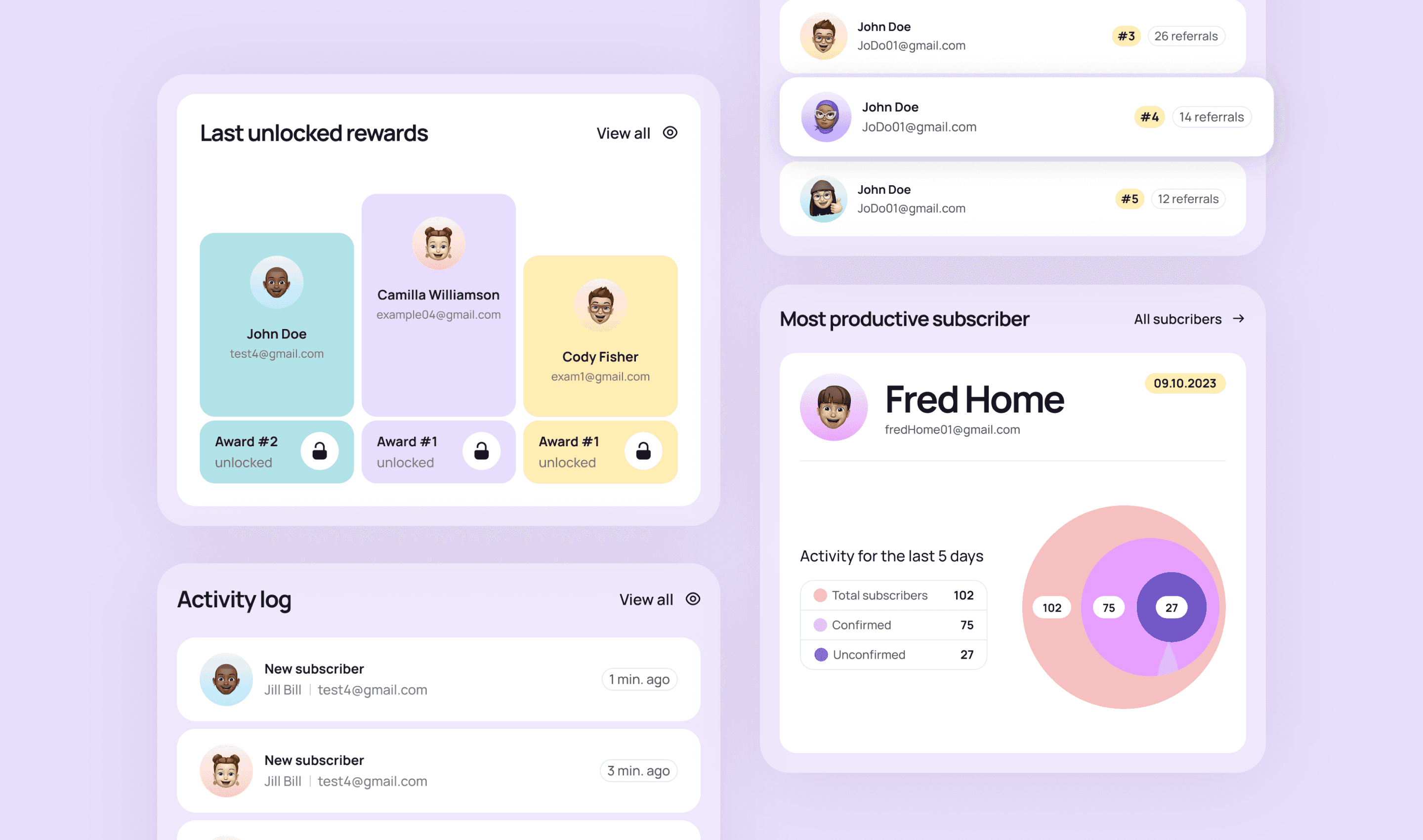
Two supporting cards sit alongside it: the most productive subscriber this period, and the last unlocked rewards. These aren't just decorative — they give campaign managers a quick way to spot who's driving results and whether rewards are flowing correctly, without digging into separate sections.
Onboarding
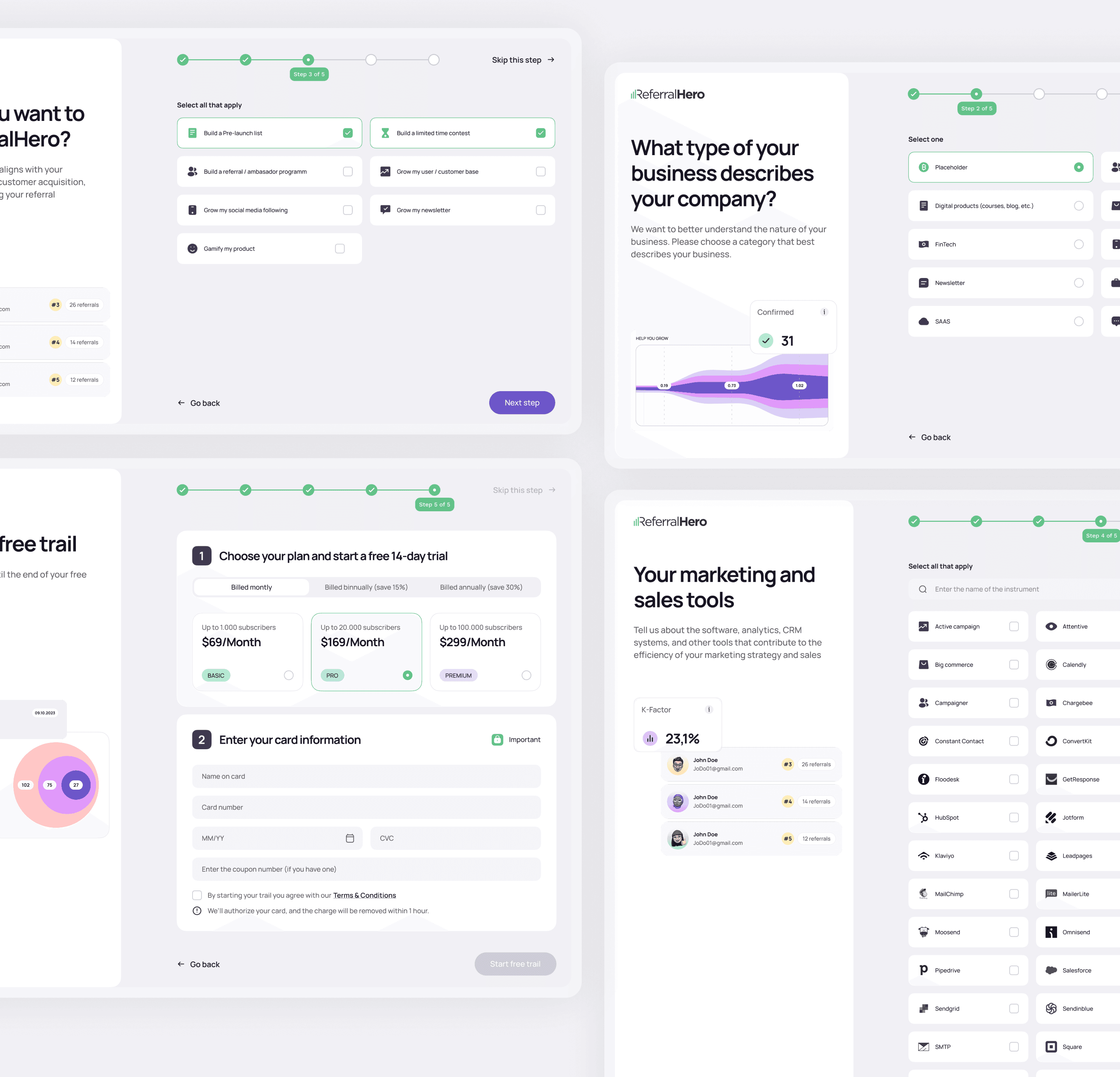
New users go through a 5-step setup before reaching the dashboard. One decision per screen. The goal was to get everything needed for a campaign launch without it feeling like a long setup process.
Subscribers
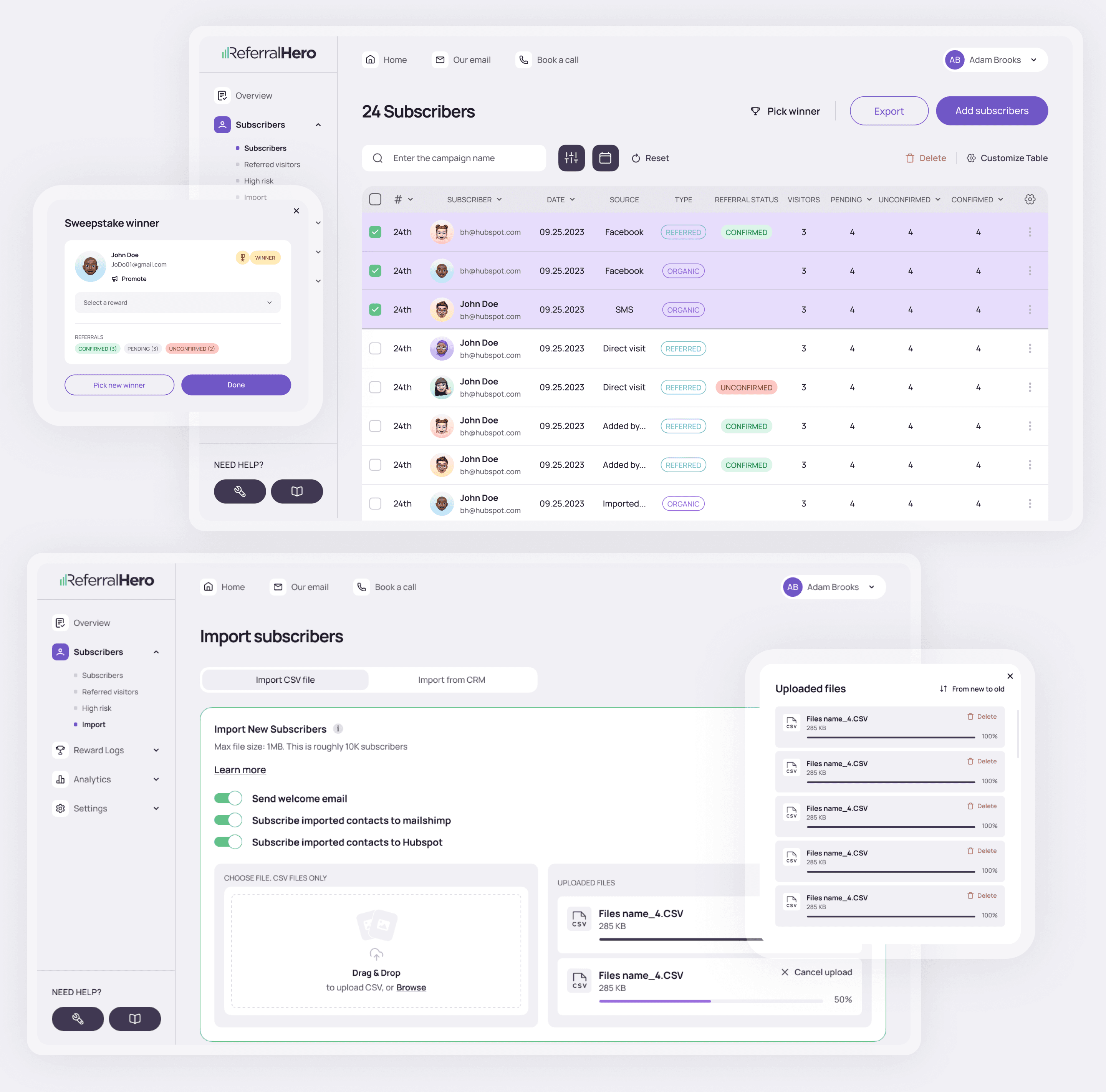
The subscribers section is where most of the operational work happens. The table shows each subscriber with their source — Facebook, SMS, direct visit, imported — alongside referral status, visitor count, and confirmation state. Every row is a person in the funnel, and the columns make it easy to spot patterns: which sources convert, who's still unconfirmed, who's driving referrals.
Two actions sit at the top right: Export and Add subscribers. Quick access to the most common bulk tasks without digging through menus.
The sweepstake winner modal adds something less common — a way to pick and reward a random winner directly from the subscriber list. Confirm referral counts, select a reward, promote the winner. It's the kind of feature that rarely makes it into this type of platform, but for campaigns that run contests it removes a whole manual step.
Import is handled on a separate screen. CSV upload or direct CRM sync — Mailchimp and HubSpot both supported out of the box. Options for sending a welcome email and subscribing imported contacts to integrations are right there on the same screen, so nothing gets missed during a bulk import.
Analytics
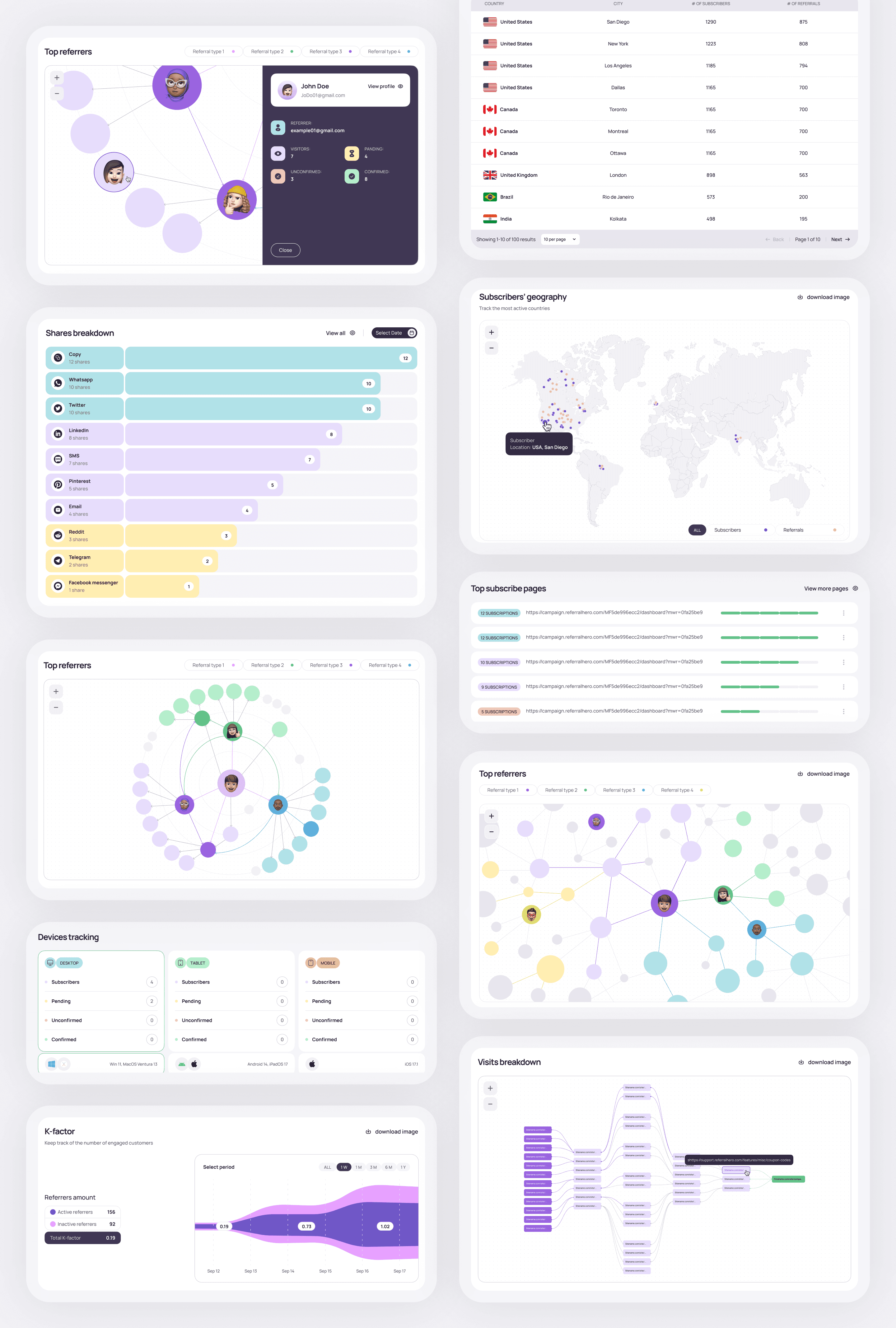
Analytics is split across several modules rather than one big screen. Shares breakdown shows which channels are actually driving distribution — copy link, WhatsApp, Twitter, LinkedIn, SMS, and more — ranked by volume. The geography map and country table give a regional picture of where subscribers are coming from. Top referrers visualizes the referral network as a graph, showing who's bringing in the most people and how chains connect. Devices tracking breaks down desktop, tablet, and mobile separately, with subscriber status per device. K-factor sits at the bottom — a single number that tells you whether the campaign is growing on its own or not.
Reward Logs
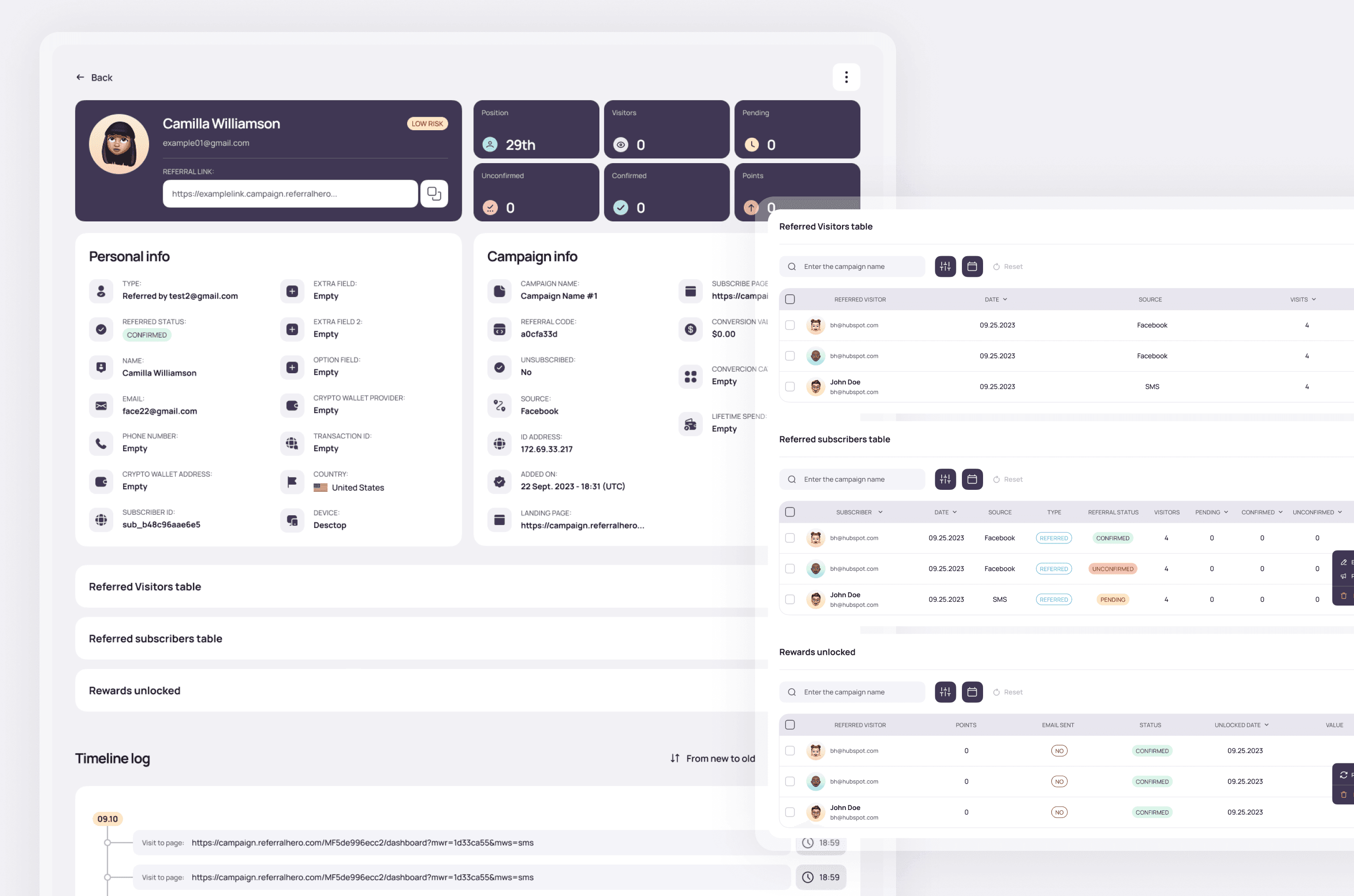
Rewards are where referral programs earn or lose participant trust. If someone brings in three friends and nothing happens — no confirmation, no payout, no acknowledgment — they stop referring. The reward system needs to be transparent on both sides: for participants who want to know where their reward is, and for managers who need to verify, approve, and pay without things slipping through.
The section handles the full lifecycle. There's a chart showing how reward unlocks trend over time, a chronological log of every event tied to a specific subscriber and referral count, and a group payouts screen for managing commissions in batches. Payouts can be reviewed line by line and confirmed in one action.
On top of the operational layer, there's a visibility element — recent reward unlocks shown as subscriber cards with award tiers. It's a small thing, but it shifts the feel from "transaction log" to something participants can actually see themselves in. Referral programs run on motivation, and motivation needs feedback.

Account & Settings
Platform-level settings — account, billing, API, team access — kept separate from campaign-level configuration. Two different types of decisions shouldn't share the same space.
New Campaign
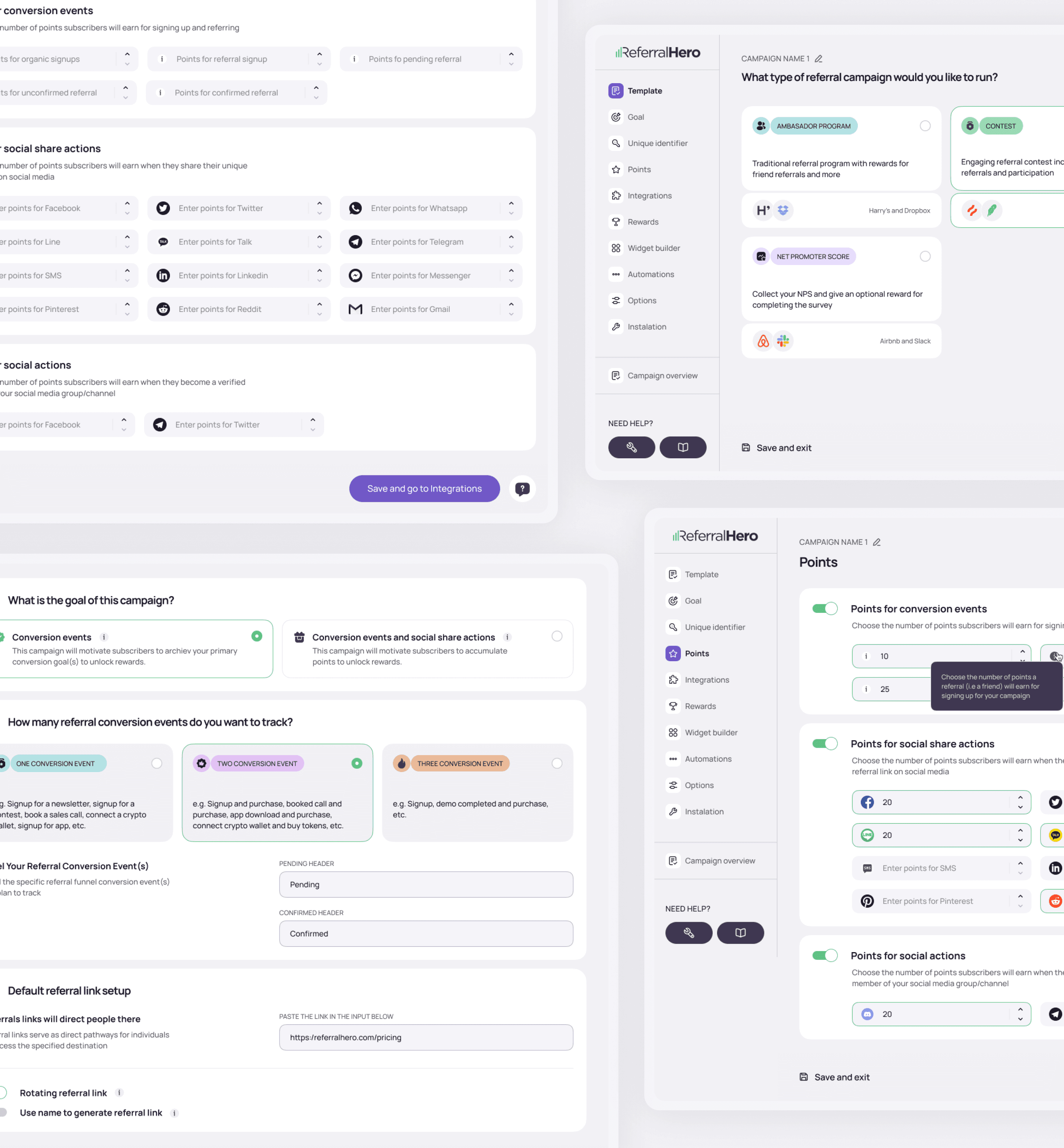
Creating a campaign means making a lot of decisions — what type of program, what counts as a conversion, how points accumulate, what rewards get triggered, how the widget looks, which integrations connect. The wizard breaks all of that into steps so each decision gets its own space.
The template step sets the direction early: ambassador program, contest, NPS collection, waitlist. Each comes with real-world examples — Harry's and Dropbox, Airbnb and Slack — so campaign managers aren't starting from abstract options. They're picking a model that already worked somewhere.
The goal step is where the conversion logic gets defined — one event, two events, or three. The difference matters: a single conversion event is straightforward, but a three-event setup lets teams track something like signup, demo completed, and purchase as three separate milestones in the same funnel.
Points are configured per action — sign up, referral, sharing on Facebook, Twitter, WhatsApp, LinkedIn, SMS, Telegram, Reddit, email, and more. Each channel gets its own value, so teams can weight actions that actually matter for their campaign rather than treating all shares the same.
Widget Setup
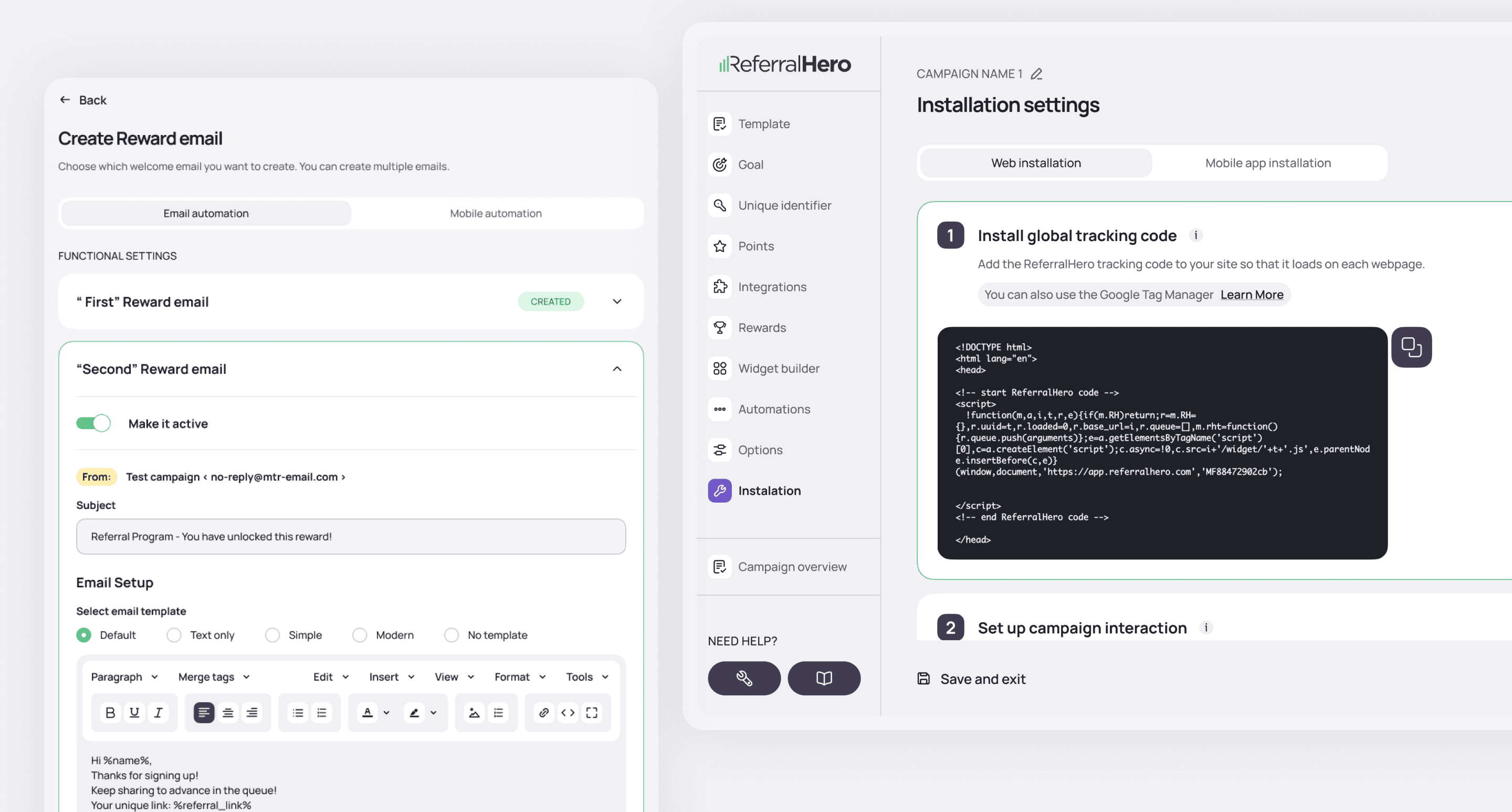
The last steps of the campaign wizard handle the operational layer: reward emails, automations, and installation. Email templates are configured here — subject line, sender, content — with merge tags for personalization. Installation gives campaign managers a tracking script to drop into the site header, or a Google Tag Manager path if that's how the team works. Web and mobile app installation are handled separately.
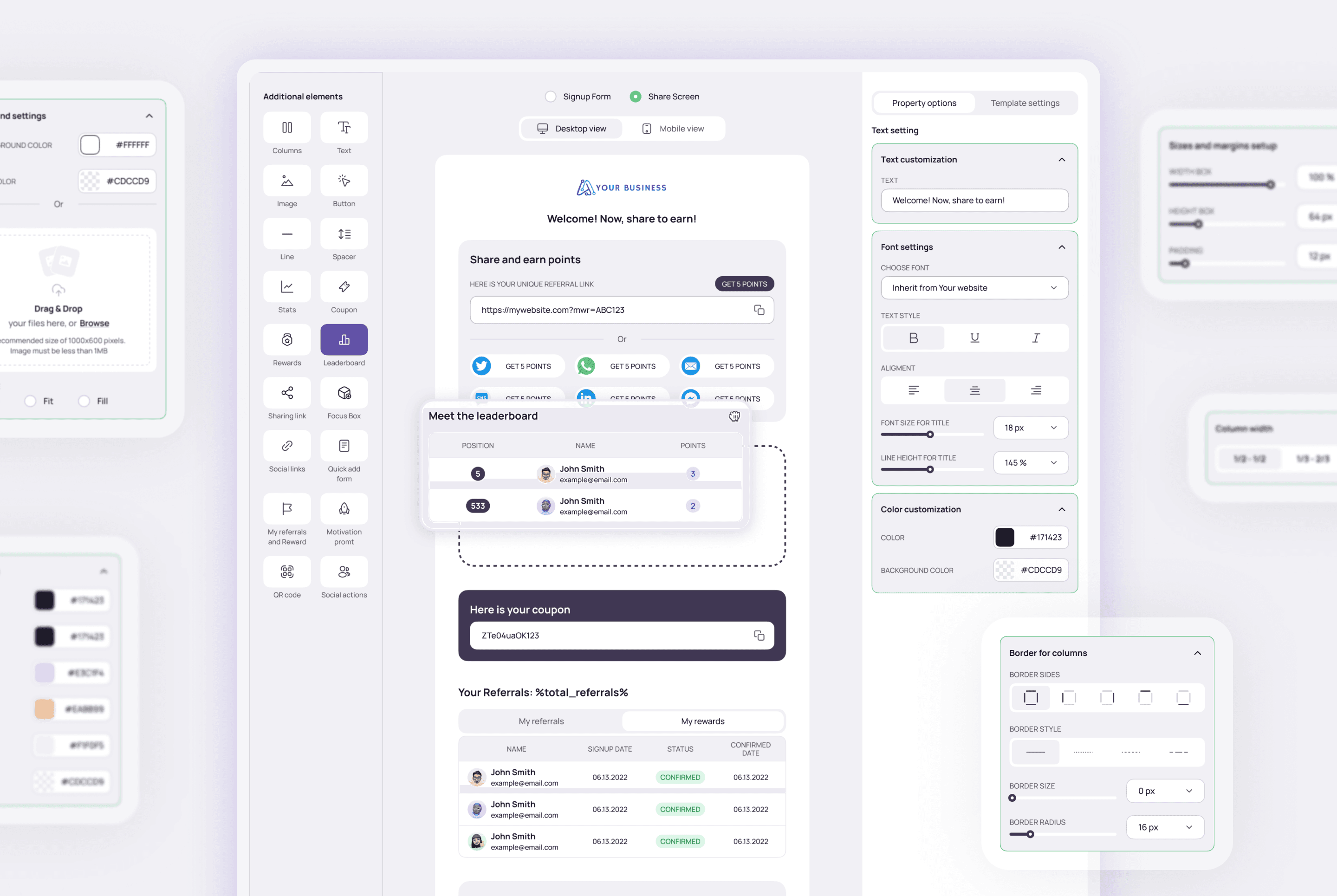
Widget Builder — Old Version
The widget builder is the most hands-on part of the whole setup. Campaign managers can add elements — columns, text, images, buttons, sharing links, leaderboards, coupons, QR codes — and configure each one: font, color, size, padding, border. A live preview sits in the center, switching between signup form and share screen, desktop and mobile.
It worked. But after a few years of real usage, feedback from campaign managers and client developers pointed to the same friction points: brand colors that didn't apply consistently, a type system that hadn't aged well, and a settings panel that required too many steps for common customizations. The builder had accumulated options without ever being rethought as a whole.
That feedback is what brought me back.
Problem
The widget is the only part of ReferralHero that end users actually see. It's embedded on clients' websites, sitting inside their product. When it looks like it doesn't belong — generic colors, mismatched type, clearly third-party — it breaks trust right when a user needs to act.
Three things had accumulated over time: color handling that broke down when client brand colors were applied, typography that hadn't kept up, and a settings panel that didn't give campaign managers enough control.
Solution
The question was simple: how do you make a third-party widget feel like it belongs on any website, with minimal setup from the brand's side?
Solution
The question was simple: how do you make a third-party widget feel like it belongs on any website, with minimal setup from the brand's side?
New Widget - 2025
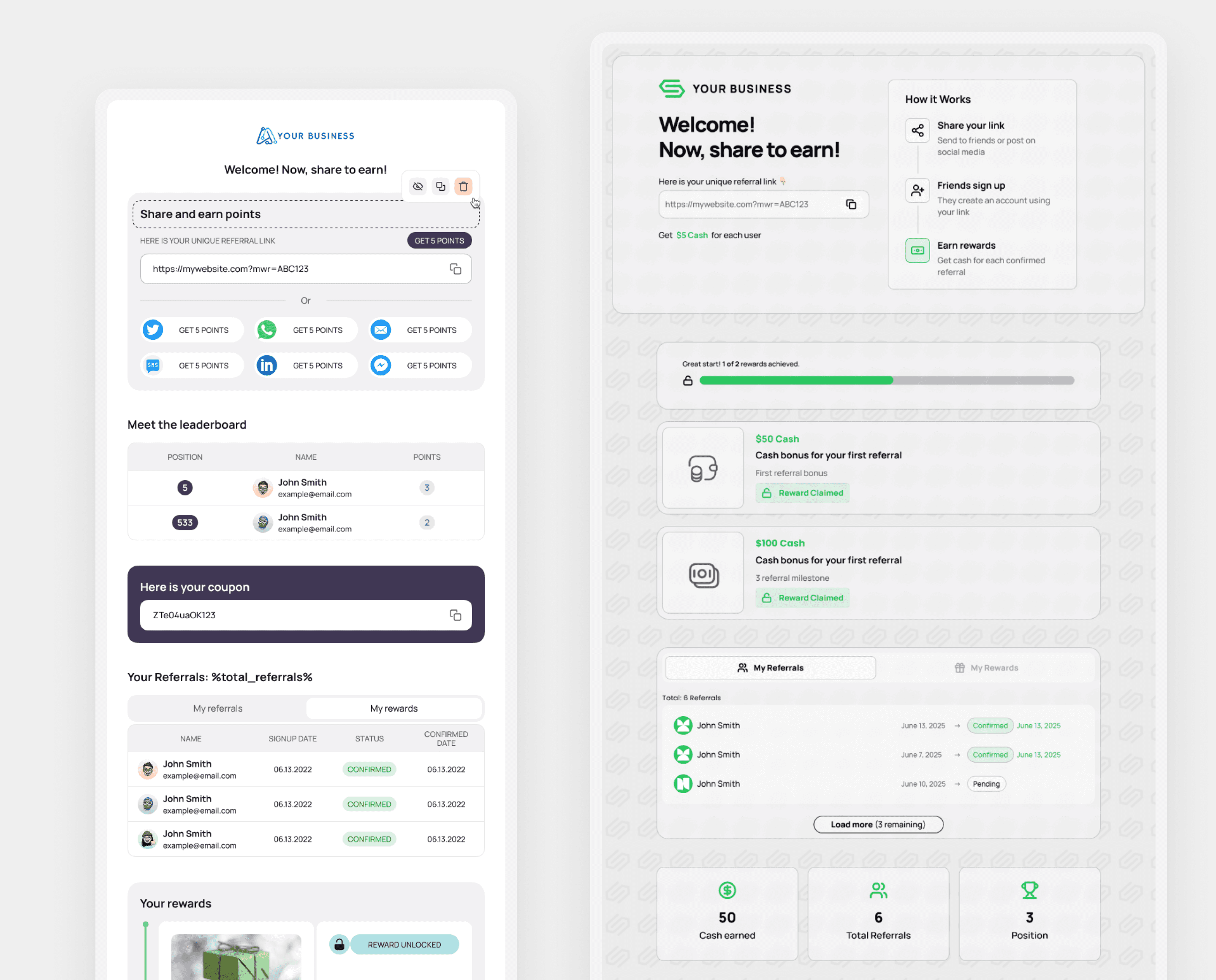
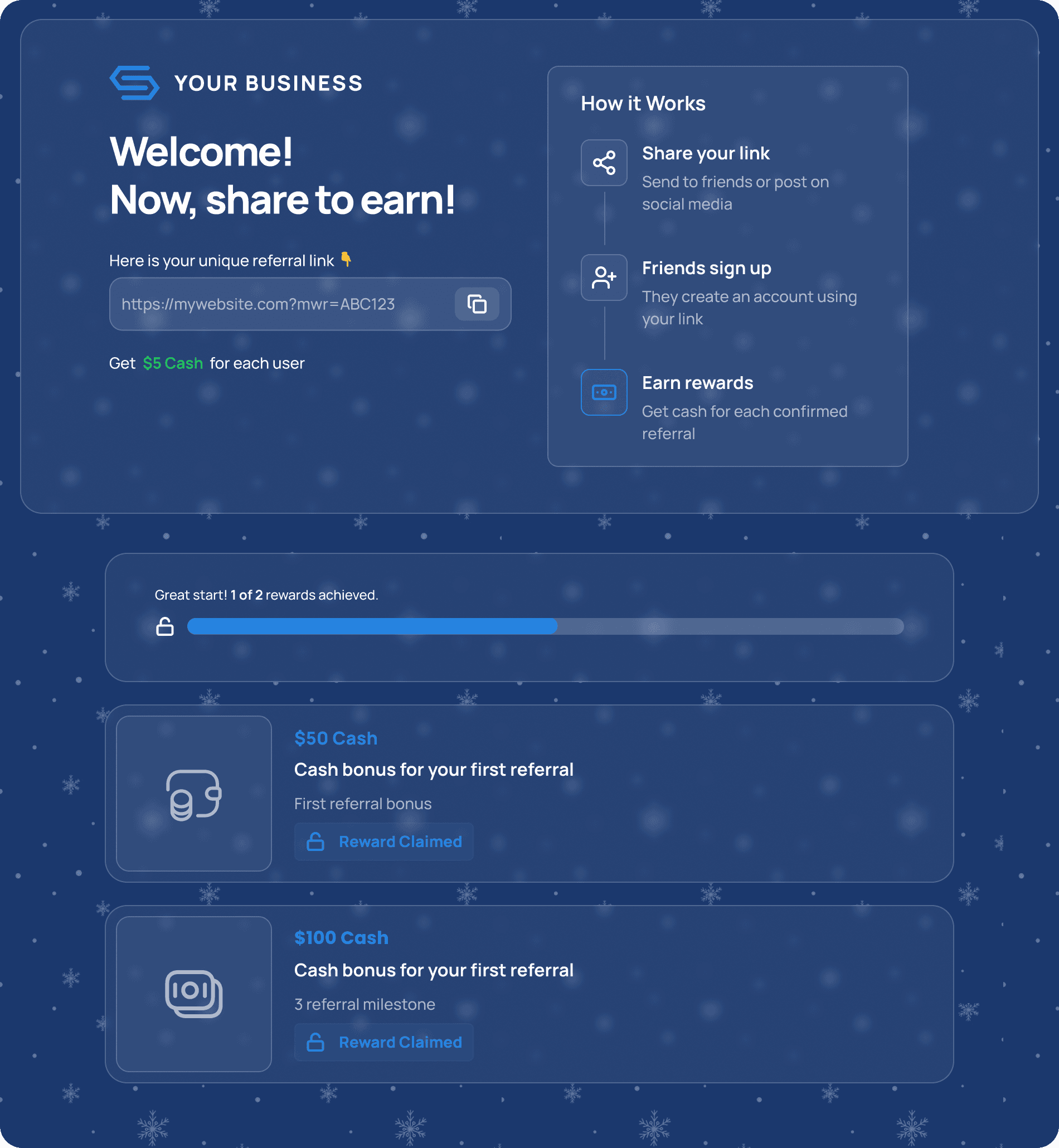
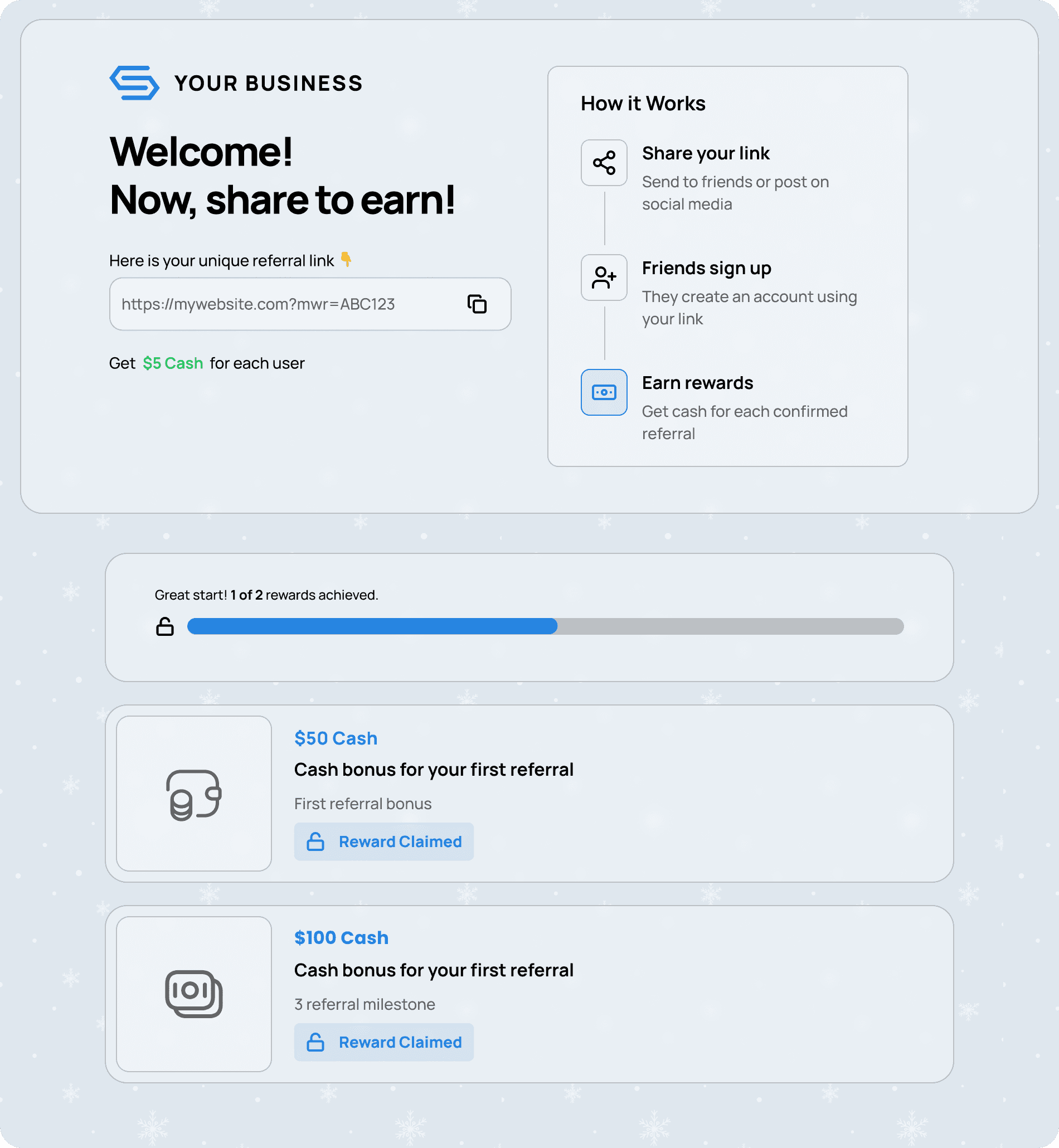
I built the new system around one idea: a user should be able to completely change how the widget feels in just a few clicks. Light or dark theme, accent color, background — three decisions that shift the entire mood and make the widget work for any website or campaign without touching a line of code.
I started with color. The existing system had no logic for how brand colors should be inherited or checked for contrast — every client integration was a manual fix. I built a new system that defines how colors are applied across widget elements and automatically validates contrast. A widget that adapts cleanly to any palette removes the main reason clients were asking for developer help.
Typography I rebuilt from scratch. The old choices had been carried over from an earlier version of the product and were showing their age. The new scale holds up at every size the widget appears in — compact inline signup forms and full-screen overlays both included.
The settings panel was the other half of the problem. Campaign managers had been asking for more control for a while — layout options, copy editing, CTA styling, step visibility — without needing to touch code. I redesigned the panel to give them that directly, inside the dashboard they already use every day.
Outcome
The updated widget rolled out across all active ReferralHero campaigns. The new color system reduced implementation issues on the client developer side. More options in the settings panel meant fewer customization requests going to support.